Splice Guide: How to Use It, the Pro Tips & the Real Risks (Beginner to Advanced)
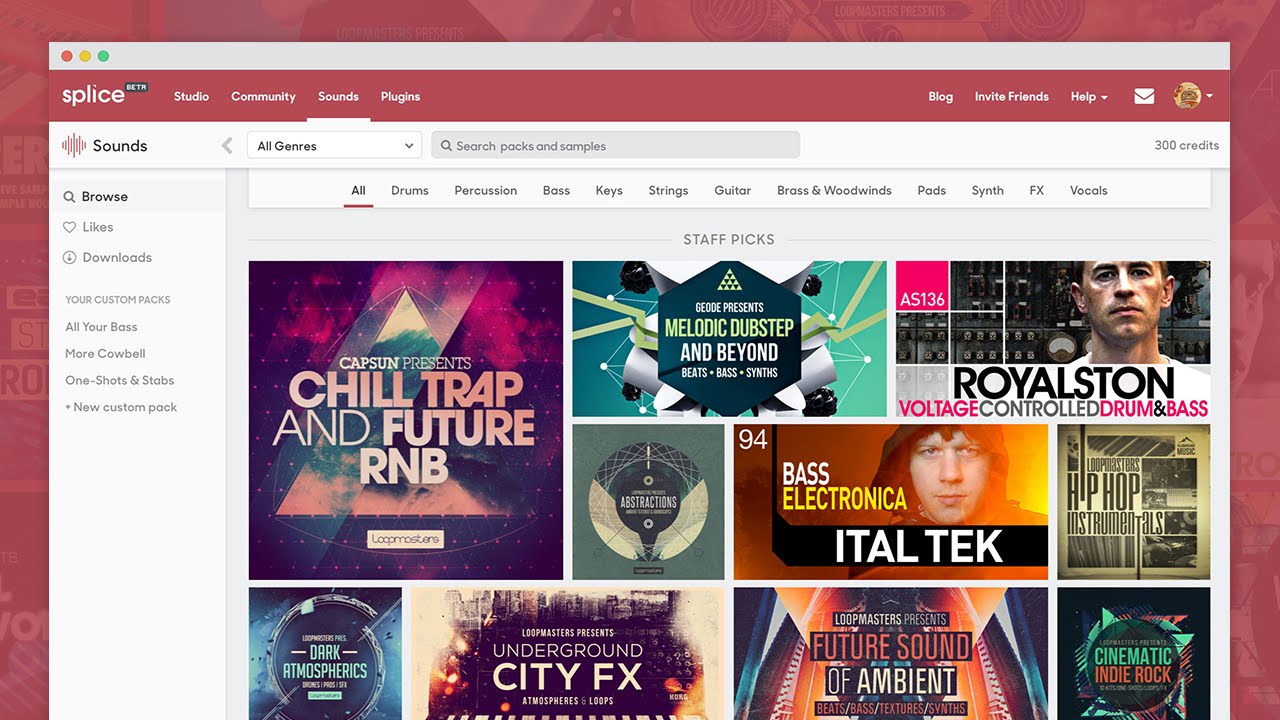
"I started producing but can't get a pro sound." "I keep using the same drum kits and my arrangements feel stuck." If you struggle with finding sounds or choosing gear, Splice — one of the world's largest music-production platforms — is worth a look. Beyond samples, it gives you plugins and synth presets too, and it can seriously lift both your quality and your speed.
I use Splice myself, and a lot of this article is written from real experience. We'll cover not just samples but how to make the most of plugins and synth presets — plus the real "sample overlap / copyright-detection" risk most blogs gloss over.
But honestly, just watch this first. Hearing what pros around the world have made says more than any description could.
Can't see the video? ▶ Watch on YouTube
…Pretty wild, right? Getting unlimited access to sounds like that every month is exactly what makes Splice so good. Let's get into the details.
What is Splice?
Splice is an all-in-one music-production platform with high-quality audio samples, loops and MIDI made by pros worldwide, plus famous-synth presets and trending plugins (instruments and effects). The millions of sounds are all royalty-free, so anything you download is safe to use in commercial tracks (releases, YouTube, etc.).
How to use Splice — by skill level
Splice isn't just a place to download sounds. Used well, it's an endless toolkit for beginners and advanced producers alike.
① Beginners: stack loops to finish a track
If you're just starting, focus on loops. Splice's search is excellent — filter by chord progression, instrument, BPM and key.
- Find a drum loop you like (e.g. BPM 120 / Key: Am)
- Filter the same BPM 120 / Key: Am for bass and piano loops
- Lay them out in your DAW
Like assembling a puzzle, you get a pro-quality track in moments.
② Advanced: an endless source of kits, presets and ideas
Once you can build tracks, these are the techniques I actually use:
- Combine one-shots into an "endless drum kit": pick "just this kick," "just this snare" by the credit, and build your own kit.
- Use chord search as an idea bank: search "instrument" × "specific chord," audition phrases, then re-play them yourself referencing the progression — fresh ideas beyond your usual habits.
- Use famous-synth presets for instant sound design: download Serum / Massive / Sylenth1 / Vital presets and load them into your synth to save hours.
Pro gear for less: Splice's plugin services
① Industry staples too: "Rent-to-Own"
Get pro plugins that cost hundreds of dollars by paying around $10/month like a subscription — and once you've paid the total, it's yours (a permanent license). No interest or fees (same total as buying outright). Pause or cancel anytime; what you've paid is kept. Examples: the monster synth "Serum," plus iZotope and FabFilter staples.
② Plugins included with Creator plans (Splice Instruments)
On higher plans, Splice's own high-quality soft synth "Astra" and a set of intuitive beatmaking tools are included at no extra cost.
Can't see the video? ▶ Watch on YouTube
What to watch for: the "copyright-detection" risk
Splice is hugely convenient, but there's a real risk worth understanding.
Auto-flag risk from "sample overlap" with famous songs
Countless pros and amateurs use Splice. So if you drop a loop that was already used in a well-known released track straight into your song, the sample can overlap completely — and systems like YouTube's Content ID may misjudge it as "copying someone else's song," tripping a copyright check.
How to avoid it
- Don't just line up loops as-is
- Use one-shots and build the rhythm pattern yourself
- Treat catchy melodies/chords as ideas — re-play them yourself
- Load a synth preset, then tweak the knobs into your own tone
Make it a habit to add a twist instead of using material as-is, and you'll avoid copyright trouble while keeping your tracks original.
Splice plans
Splice is a monthly subscription. Each month you get "credits" to spend on the sounds and presets you want.
| Sounds+ | Creator | Creator+ | |
|---|---|---|---|
| Monthly (approx.) | ~$12.99 | ~$19.99 | ~$39.99 |
| Credits / month | 100 | 200 | 500 |
| Splice tools (Astra etc.) | — | ✓ | ✓ |
| Best for | Hobby, 1–2 songs/mo | Serious intermediate+ | Daily heavy users |
※ Figures are approximate. Pricing varies by region — check the official site for the exact price where you are.
Conclusion: try it for a month and hear the change
Splice isn't just a "sound library" — with presets and great plugins, it's a personal creator's ultimate arsenal. Understand the sample-overlap risk and use it right, and there's no more reliable partner.
If you want to keep gear costs down and bring pro tones into your music easily, it's hard to pass up. Try a month on an entry plan and hear your tracks transform.